
Shirely 1.3.0: Scheduled Imports and Exports
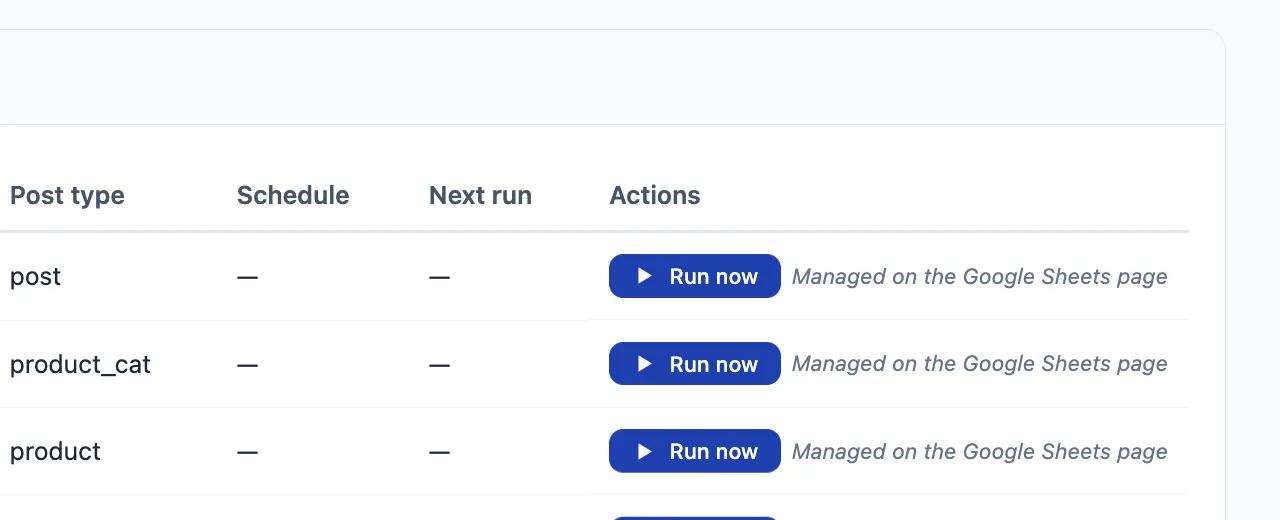
Shirely 1.3.0 is available. Its central new workflow is Automation: save a repeatable WooCommerce import or catalog export as a slot, run it when needed, or schedule it with WordPress.
This is useful when the source, destination and mapping stay consistent. Instead of rebuilding the same job each time, you configure it once and use Run now for a deliberate run or choose an hourly, twice-daily or daily schedule.

What an Automation slot saves
An import slot stores the source and the settings required for one repeatable import job. Shirely 1.3.0 supports three sources for scheduled imports:
- a Google Sheet accessible to your configured Service Account;
- a public remote CSV URL; or
- a CSV placed in Shirely’s protected inbox directory on the WordPress server.
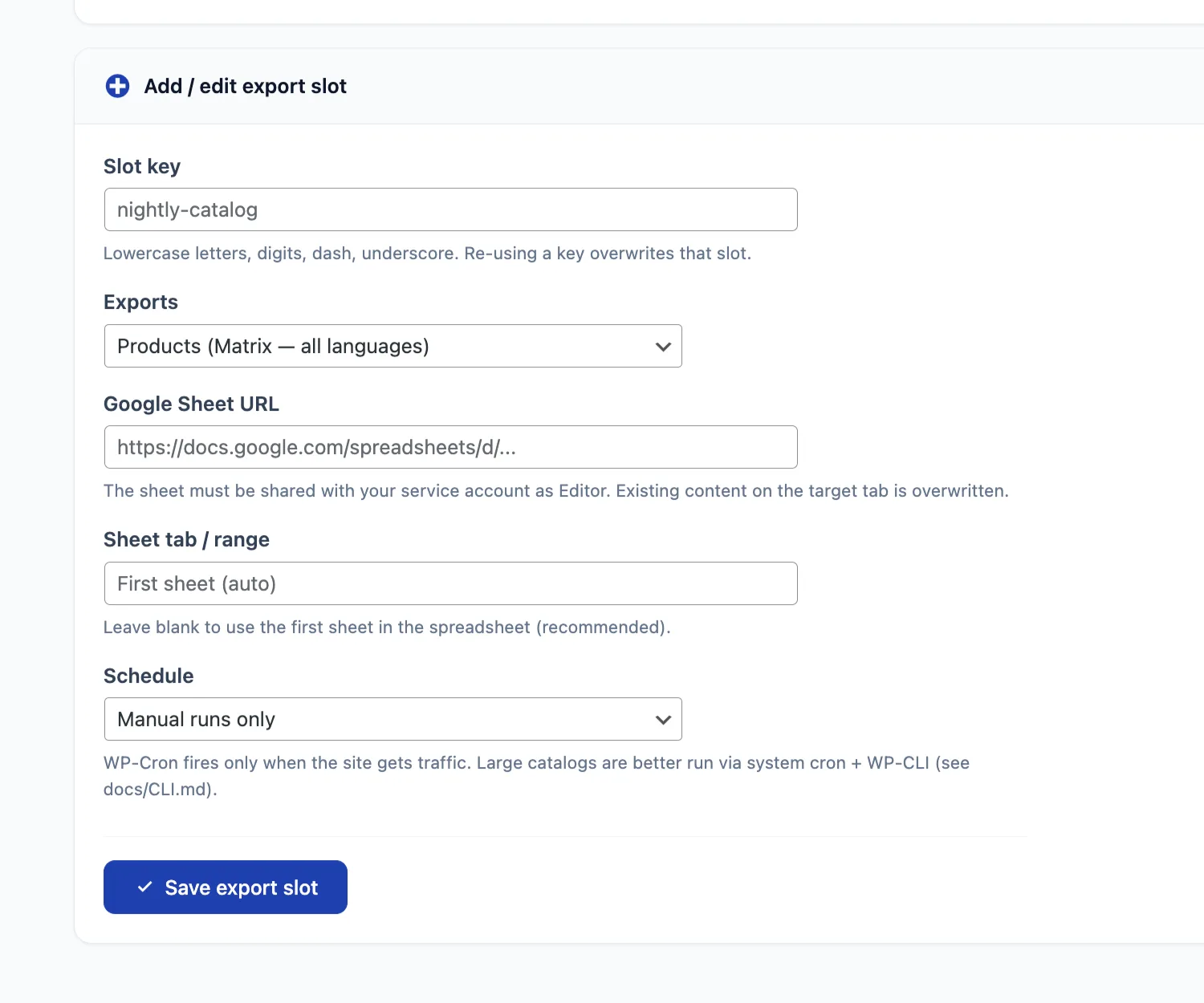
An export slot stores the catalog data selection and Google Sheets destination for a repeatable export. In 1.3.0, automated export publishes supported catalog data to Google Sheets. Store Data exports such as orders, customers, coupons and reviews remain deliberate manual actions.
Import and export slots use different configuration fields because their sources and destinations are different. For Google Sheets, the target spreadsheet must be shared with the Service Account using the access level required by the job.
Run a saved job now or put it on a schedule
Use Run now for a deliberate start
Run now starts the selected slot immediately through the same headless workflow used by scheduled and command-line runs. This makes it the practical choice for the first test after configuration, for an occasional job, or whenever a person should approve the start.
Saving a slot does not run it immediately. If you assign a schedule, the first WP-Cron event becomes due after the selected interval. Use Run now if you want to validate the slot before then.
Choose hourly, twice daily or daily
A slot can remain manual or use one of WordPress’s standard schedules:
- Hourly — due once per hour;
- Twice daily — due every twelve hours; or
- Daily — due once per day.
Each slot runs as one complete job. Shirely does not divide it into independently scheduled sub-jobs, and saving several slots does not imply a global queue that serializes every possible import. Plan jobs that could update the same products, terms or WPML/WCML translation groups so they do not overlap.
WP-Cron is convenient, not exact
WP-Cron is triggered by site activity. On a low-traffic store, a due hourly, twice-daily or daily event can begin later than its nominal time. It should not be treated as a guarantee of an exact start.
For a large import or a job that must start predictably, use system cron with WP-CLI. A server administrator can trigger due WordPress cron events or call the saved Shirely slot directly. This avoids relying on a visitor request to start the work, although the job still needs enough server resources to finish.
The same Shirely performance settings used by interactive imports also apply to Automation. Batch size, memory strategy and execution-time settings are therefore part of the slot’s operating context, not bypassed by the schedule.
Check Run History before assuming the job finished
A button click or a cron trigger only proves that a run was requested. Run History is the completion gate. It records the slot, direction, trigger, start time, final status, result counts and available error details.
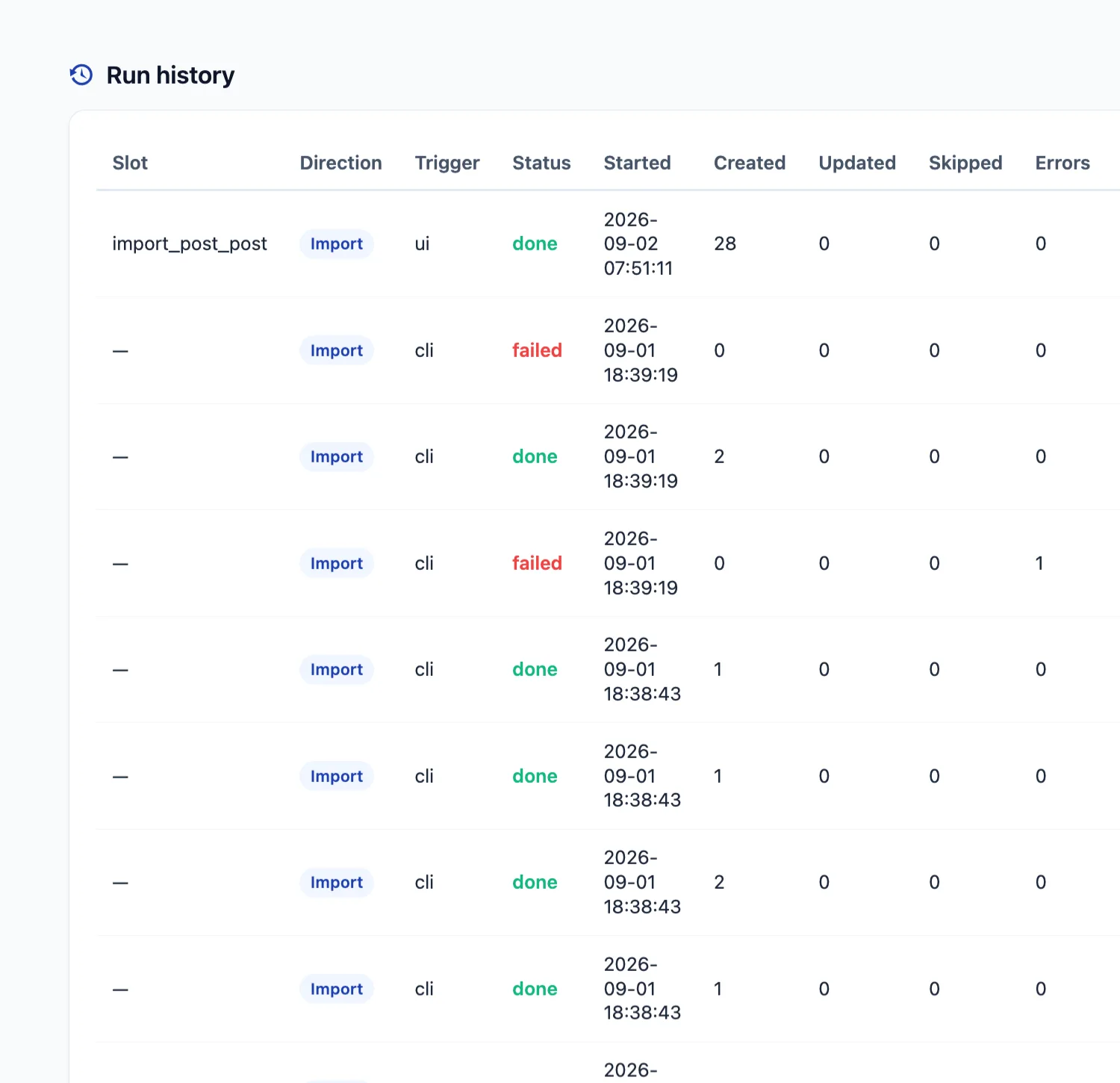
If a run fails, read the recorded error before starting it again. Check the source, credentials, matching key, destination and the current state of the store. Confirm that the previous run is no longer running before a retry, especially when products, taxonomy terms or translation groups may be updated.
Safety rules for unattended imports
Unattended execution deliberately narrows two behaviors:
- Automation and WP-CLI do not use the destructive
delete_non_matchingoption. - Customer invite email is not sent by Automation, WP-Cron or WP-CLI. The optional invite remains available only when manually importing newly created customers through the wizard.
The same-slot lock and same-target Google Sheets protection prevent specific duplicate work, but they are not a global lock for every import. Do not run the wizard, Automation, WP-CLI or WP-Cron at the same time when jobs could modify the same records. Schedule them sequentially and use Run History to confirm completion.
Also released in Shirely 1.3.0
Automation is the headline workflow, but the release also adds WooCommerce-native coupon import and export, catalog provenance for safer transfers between stores, and an optional invite email for newly created customers during a manual wizard import.
For field-level setup and operational guidance, read the Automation documentation. If your workflow starts with a spreadsheet, see the Google Sheets import/export guide. When you are ready to use Shirely on your store, compare the available plans.